
When Your Router Becomes the Threat: The Hidden Risk Behind Unpatched TP-Link Devices
End-of-life TP-Link routers are being exploited using CVE-2023-33538 to deploy Mirai botnets. Learn how SMEs and charities can identify and mitigate the risk.
2 min read
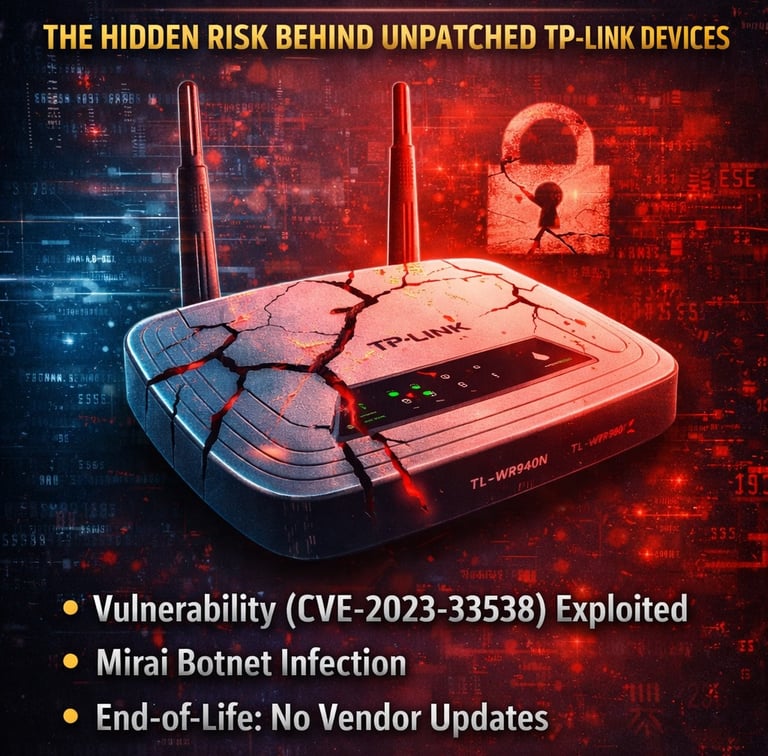
A known vulnerability in several TP-Link routers is now being actively exploited by attackers to deploy Mirai-based botnet malware.
The flaw, tracked as CVE-2023-33538, affects multiple end-of-life (EOL) devices, meaning they no longer receive security updates from the vendor.
For many organisations, especially SMEs and charities, this creates a serious and often overlooked risk.
What’s Happening?
Attackers are targeting vulnerable TP-Link routers and using the flaw to:
Gain unauthorised access
Deploy Mirai botnet malware
Turn devices into part of a wider attack infrastructure
Once compromised, these routers can be used for:
Distributed Denial of Service (DDoS) attacks
Network pivoting into internal systems
Persistent access without detection
And because these devices sit at the edge of your network, they are often trusted and rarely monitored.
The Real Problem: End-of-Life Hardware
The key issue here isn’t just the vulnerability. It’s that there is no patch coming.
If you’re using an affected device:
You cannot fix it with an update
You cannot rely on vendor support
You remain exposed indefinitely
This is a common problem across many organisations where:
Network hardware is deployed and forgotten
Asset inventories are incomplete
Security updates are assumed but not verified
Why This Matters for SMEs and Charities
Many smaller organisations rely on:
Low-cost networking equipment
Long hardware replacement cycles
Limited internal IT/security visibility
This creates the perfect conditions for:
Outdated devices remaining in production
Exposure going unnoticed
Compromise persisting over long periods
How to Check If You’re at Risk
Start with a simple review:
Do you know what router/firewall models you are using?
Are any of them end-of-life?
Are they still receiving security updates?
Do you have visibility of external exposure?
If the answer is “I’m not sure” to any of these, that’s your starting point.
What You Should Do Now
If you’re using affected TP-Link devices:
1. Replace the hardware
There is no workaround that removes the risk entirely.
2. Segment your network
Limit what network devices can access internally.
3. Review external exposure
Understand what services are accessible from the internet.
4. Monitor for unusual behaviour
Look for:
Unexpected outbound traffic
Performance issues
Unknown connections
Final Thought
Not all vulnerabilities can be patched. And when they can’t, the risk doesn’t go away, it becomes permanent.
The question isn’t just:
“Are you vulnerable?”
It’s:
“Are you relying on devices that can no longer be secured?”
CNI Security Solutions
We help businesses stay secure and win more business with confidence.
info@cnisecurity.co.uk
© CNI Security Solutions Limited. 2026. All rights reserved. Company Number: 16272265 Registered in England and Wales
e-Innovation Centre | University of Wolverhampton |Telford Campus | Priorslee |Telford |TF2 9FT
Let's talk about your security
Have a security question or not sure what you need?
Prefer to send us a message?
Contact us →